
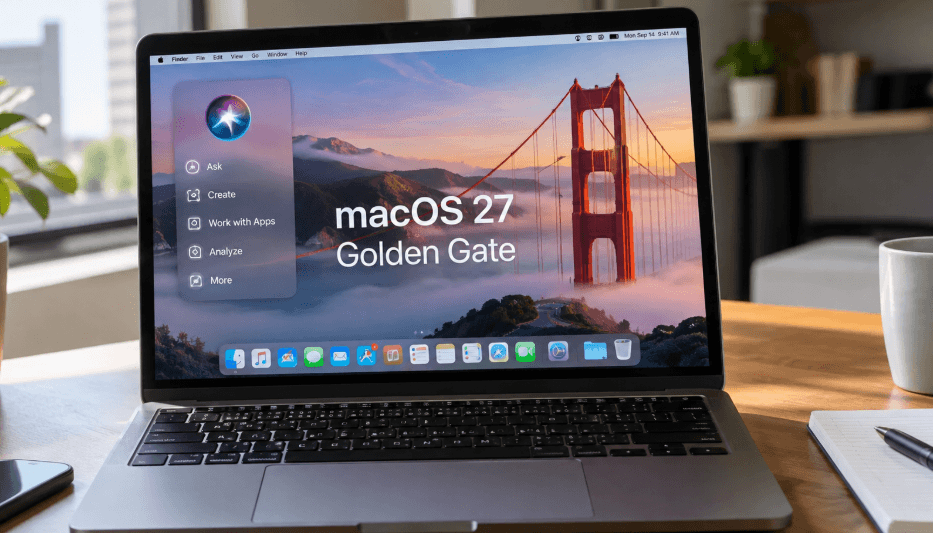
Apple has officially released macOS 27 Golden Gate, bringing a major Siri upgrade, new artificial intelligence tools, expanded parental controls, Safari improvements, and broader performance enhancements to supported Macs. The update marks one of Apple’s most significant efforts yet to integrate AI features throughout the Mac experience.
Siri AI Arrives on Mac With Gemini Technology
The biggest addition in macOS 27 Golden Gate is Apple’s redesigned Siri experience. The new Siri is powered in part by Google Gemini and is designed to perform more complex tasks while working across apps and understanding information displayed on a user’s screen.
Apple has emphasized privacy as a central part of the system, including the use of its cloud-based Private Cloud Compute infrastructure.
Siri is also available through a dedicated app on Mac, iPhone, and iPad. The assistant can generate and edit text, help compose and send emails, analyze visual information, respond to content displayed on the screen, and interact with supported apps.
More Personalized Siri Controls
The dedicated Siri experience can remember previous conversations and prompts, allowing users to maintain context across interactions.
Apple has also expanded voice customization. Users can adjust characteristics including Siri’s pitch, tone, pacing, and accent for a more personalized experience.
Photos Gains Spatial Reframing and New AI Editing Tools
macOS 27 introduces additional AI-powered editing features in the Photos app, including Spatial Reframing.
The feature allows users to change the apparent angle or perspective of a photograph after it has been captured. Photos also includes expanded tools for cleaning up unwanted elements and extending images beyond their original boundaries.
These additions continue Apple’s broader push to incorporate generative and visual intelligence features directly into its operating systems.
Apple Expands Parental Controls and Child Safety Features
Families receive additional controls in macOS 27 Golden Gate. Through the Family section in Settings, parents can create screen-time schedules and quickly review children’s average device usage and their most frequently used apps.
Apple has also introduced Ask to Browse. The feature can automatically notify parents when a child requests permission to access a new website, giving families another way to manage online activity.
Safari Adds Tab Groups for Easier Browsing
Safari users who regularly keep dozens of webpages open can now organize tabs into dedicated groups.
Tabs can be categorized around activities such as work, vacation planning, research, or personal projects. The feature is intended to make large browsing sessions easier to manage without requiring users to close pages they may need later.
Describe a Shortcut Makes Automation Easier
Apple is also making its Shortcuts system more accessible.
Shortcuts can automate repetitive tasks, such as resizing photos after they are placed in a particular folder. Creating those workflows, however, can be complicated for users unfamiliar with automation.
With Describe a Shortcut, users can explain what they want to accomplish in everyday language. Siri AI and macOS can then help build the appropriate Shortcut automatically.
Maps Gets More Detailed Flyover Imagery
Apple Maps receives visual improvements in macOS 27, particularly for Flyover.
According to Apple, “Flyover now uses aerial imagery combined with Visual Intelligence models to render everything from architectural fixtures to the shapes of individual trees in stunning, sharp detail.”
The update is designed to provide more realistic and detailed views of supported locations.
Faster AirDrop, File Browsing and App Performance
Golden Gate also includes a range of system-level improvements. Apple says users can expect faster AirDrop transfers, quicker file browsing, and improved loading speeds for apps and websites.
The company has also refined its Liquid Glass interface. Those adjustments are intended to address some of the visibility and readability issues that appeared with the design introduced in iOS 26 and macOS 26.
More macOS 27 Features Are Coming Later
Not every announced feature is available at launch. Apple plans to introduce additional capabilities through future macOS 27 updates.
Messages and Mail are expected to gain contextual suggestions that can recommend quick actions, such as attaching a relevant photo or retrieving flight information.
The Passwords app will also eventually identify weak or compromised passwords and offer to update them automatically. Apple describes the feature this way: “The Passwords app alerts you to weak or compromised passwords and can update them on your behalf without the hassle.”
Which Macs Support macOS 27 Golden Gate?
Apple says macOS 27 Golden Gate supports the MacBook Neo (2026), MacBook Air with Apple silicon from 2020 and later, MacBook Pro with Apple silicon from 2020 and later, iMac with Apple silicon from 2021 and later, Mac mini with Apple silicon from 2020 and later, Mac Studio models from 2022 and later, and the Apple silicon Mac Pro introduced in 2023.
With macOS 27 Golden Gate, Apple is placing AI at the center of the Mac experience while also improving familiar tools such as Photos, Safari, Maps, Shortcuts, and parental controls. For compatible Mac owners, Siri’s expanded capabilities are likely to be the most noticeable change, while performance and usability refinements extend across the operating system.

John Irving writes for Bjournal, covering news, politics, business, technology, sport, entertainment, and lifestyle. He focuses on clear, reliable reporting and useful information, helping readers stay informed about current events, emerging trends, and stories that matter.




More Stories
Google Gemini AI Plus Subscribers to Lose Access to Pro Models Starting November 13
AI Doomsday Scenarios Renew Debate Over Risks to Humanity
New Robot Lawn Mowers Add Built-In Edgers for Cleaner Yards